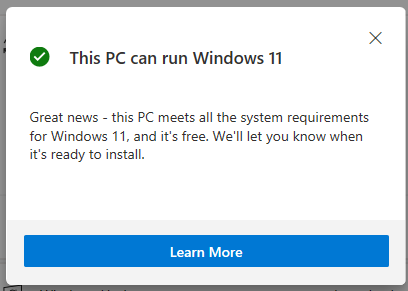
To check whether or not your PC supports Windows 11. Do follow the following steps.
Step 1: Download this File (PC Health Check)
Step 2: Run this software.
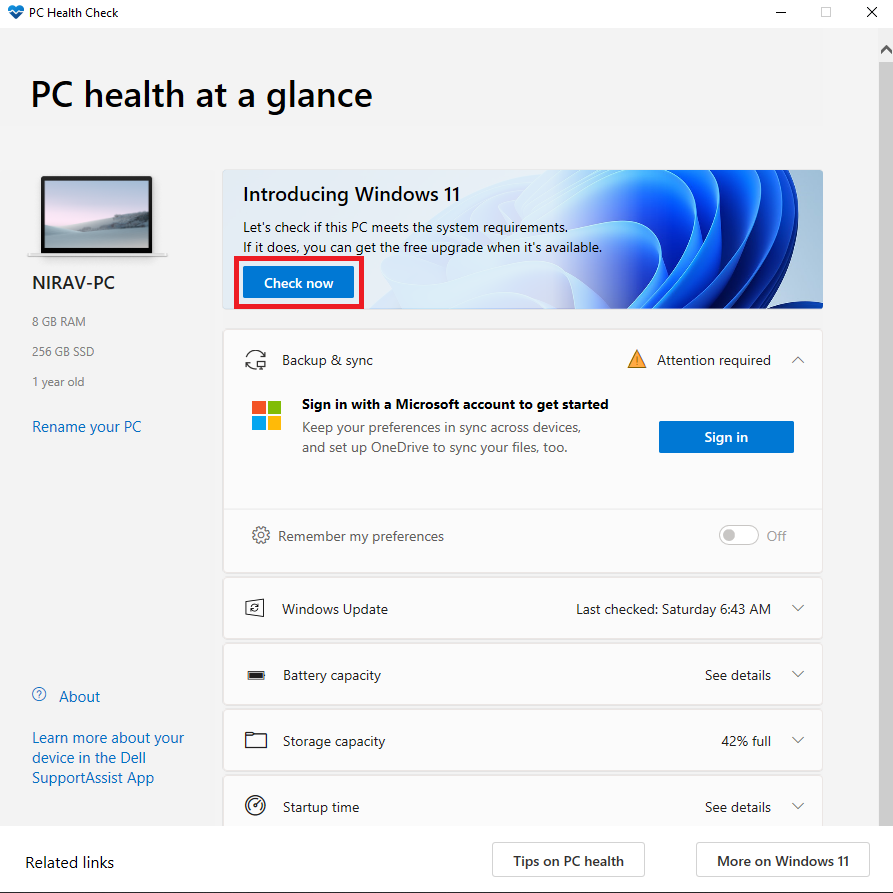
If it shows this,
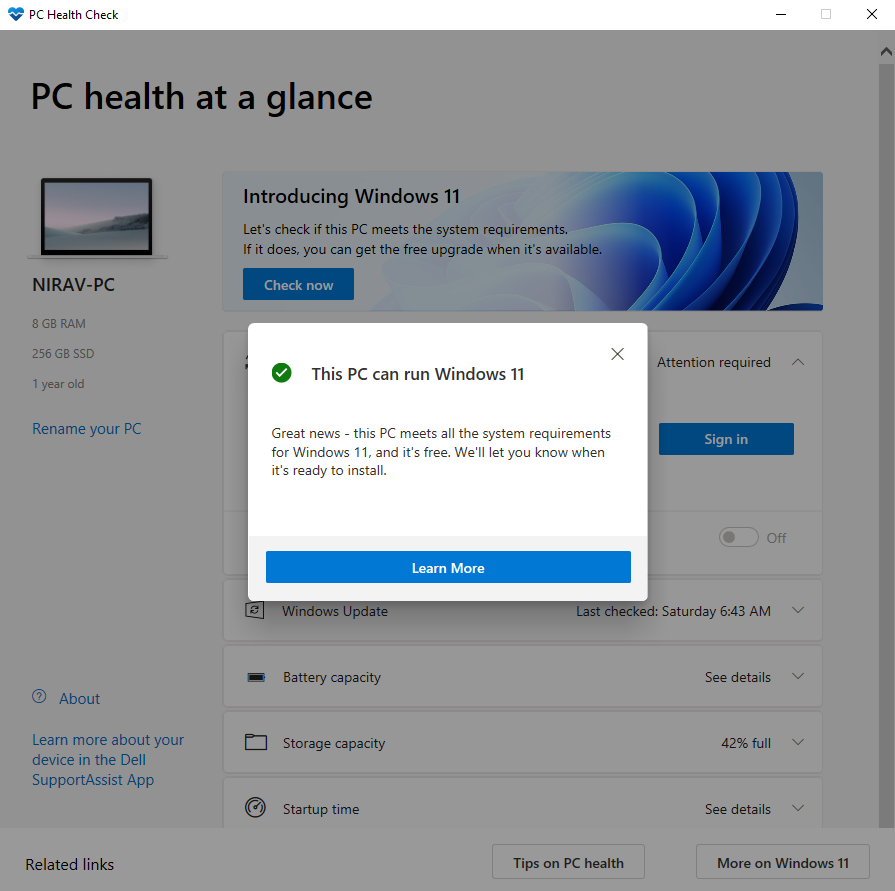
Congrats!!!! Your PC supports Windows 11.
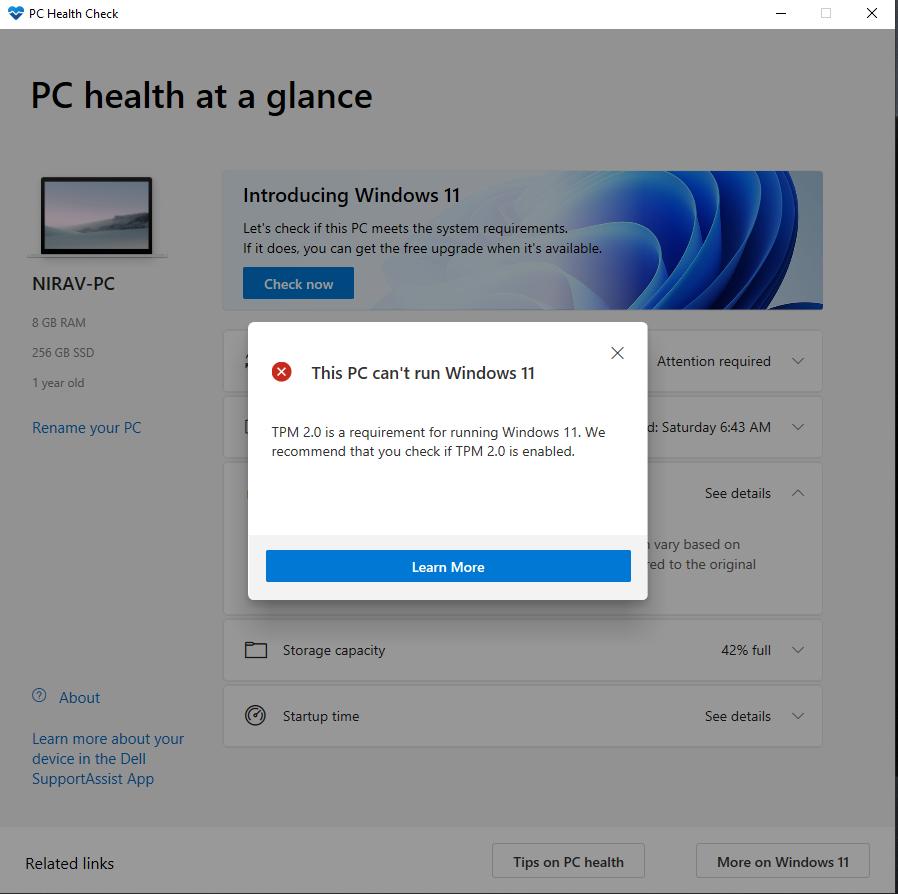
If it shows this or something like; Must support secure boot or Check TPM.
Follow rest of the Steps.
Step 3: Go to Windows menu and Shutdown your PC
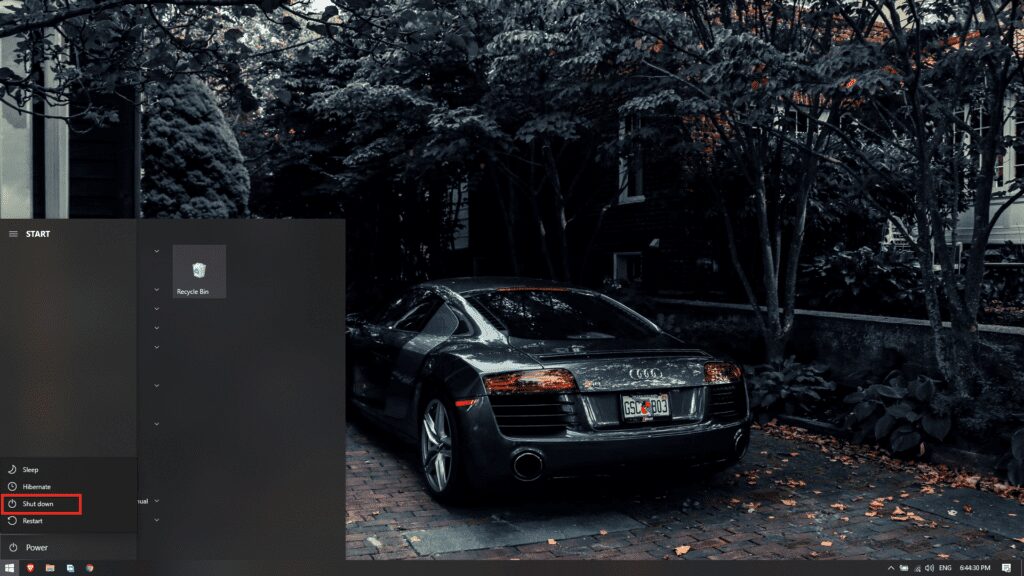
Step 4: Turn On your PC and Press F2 (Dell) to enter the System Setup
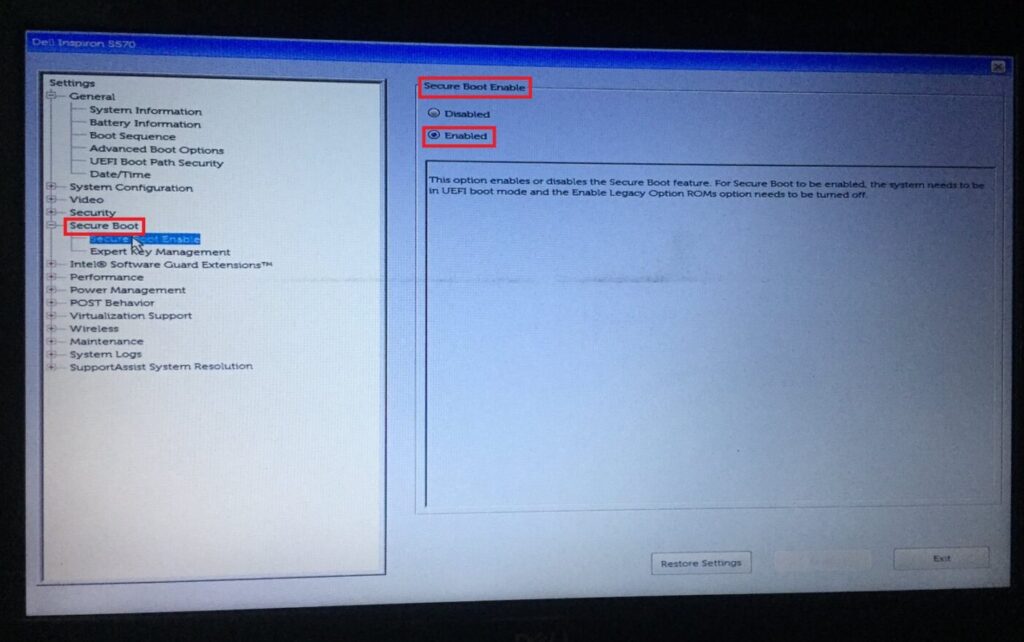
Step 5: Select Secure Boot ---> Secure Boot Enable ---> Enabled
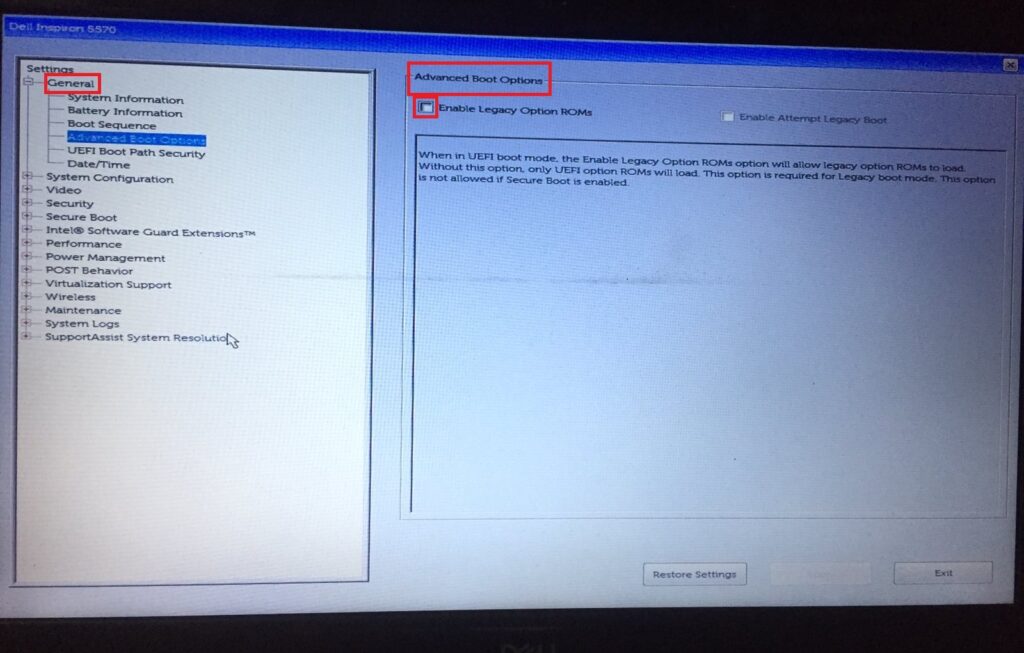
Step 6 : Select General ---> Advanced Boot Option ---> Unselect (If Selected) Advanced Legacy Boot Options
Step 7: Select Security ---> PTT Security ---> Select PTT on
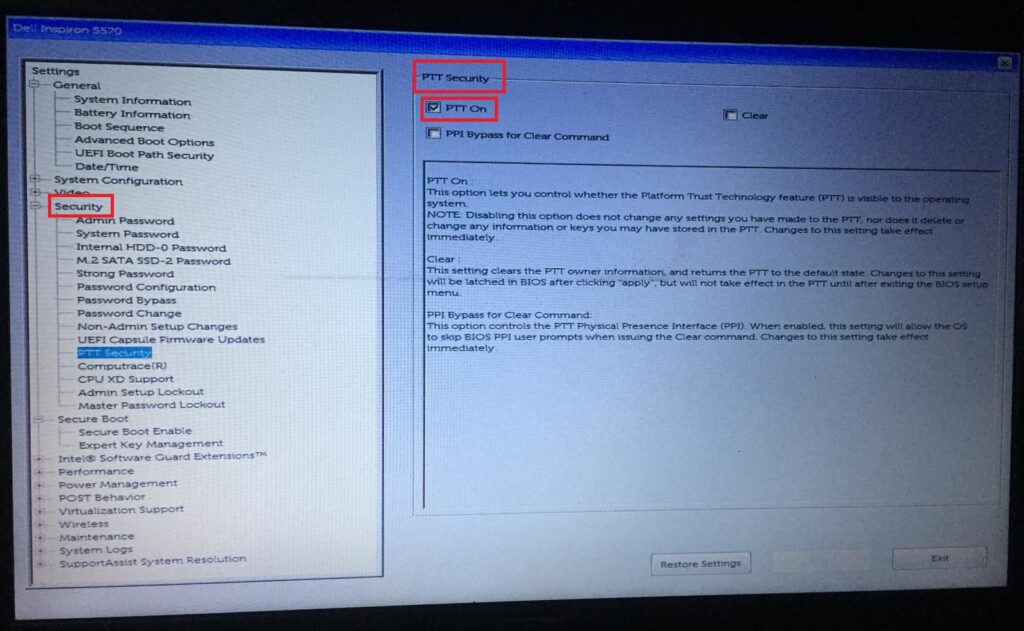
Step 8: Close the window or Select Exit (PC Restarts)
Step 9: Open The Software again.
Now if your PC supports Windows 11, then the following dialog box should appear.


Reader ·